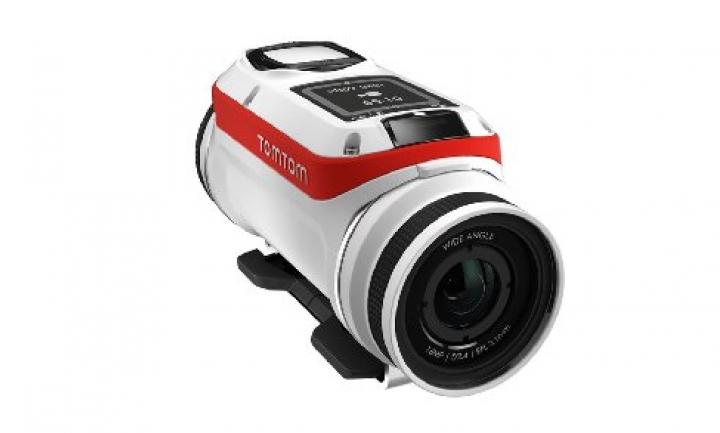
TomTom Bandit Action Camera
Image
Specs
Max Video Resolution
Megapixels
Battery Life
Body Size
Camera Features
The TomTom Bandit Action Camera has been created as the first camera to have a built-in media server, which allows you to edit the videos recorded on the camera without having to download them first! The camera’s companion app makes it easier to make and share media within a few minutes, by just shaking it to edit.
Camera Specs
The camera can record videos in HD with a wide-angle field of view, in 4k at 15 fps, 2.7k at 30 fps, 1080p at 60 fps and 720p at 120 fps for crisp, action-quality footage.
It can take 16 MP single photos and Burst photos at 16 MP or 8 MP (capture at 10/s, 10/2s). It also has features like Time Lapse (capture at 1/s, 1/5s, 1/10s, 1/15s, 1/30s, 1/60s) and Slow Motion (1080p x2 / 720P x4 / WVGA x6).
Battery Life
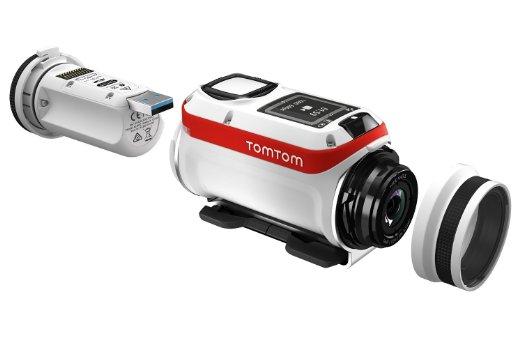
The TomTom Bandit Action Camera uses a no cables approach and instead features an integrated USB port for charging and file transfer, which allows more freedom. Dubbed as the Bandit's Batt-stick®, it allows cable-free charging and provides up to 3 hours of non-stop filming in 1080p at 30fps.
This power-saving battery has a capacity of 1900mAh, and its Batt-Stick LEDs work as battery power indicators. It also goes into standby mode after 2 minutes.
Additional Features
The companion application features a superfast viewfinder and the recorded media can easily be reviewed using its built-in media server. When using the editing mode, you can instantly make exciting movies by shaking the camera and also add effects like music and add overlays of metrics.
The action camera comes equipped with built-in motion and GPS sensors that allow automatic tagging of certain special moments depending on the change in G-force, altitude, speed, acceleration, rotation and heart rate. Though, users can tag Highlights manually as well using the tagging button.